A file manager that saves from the web
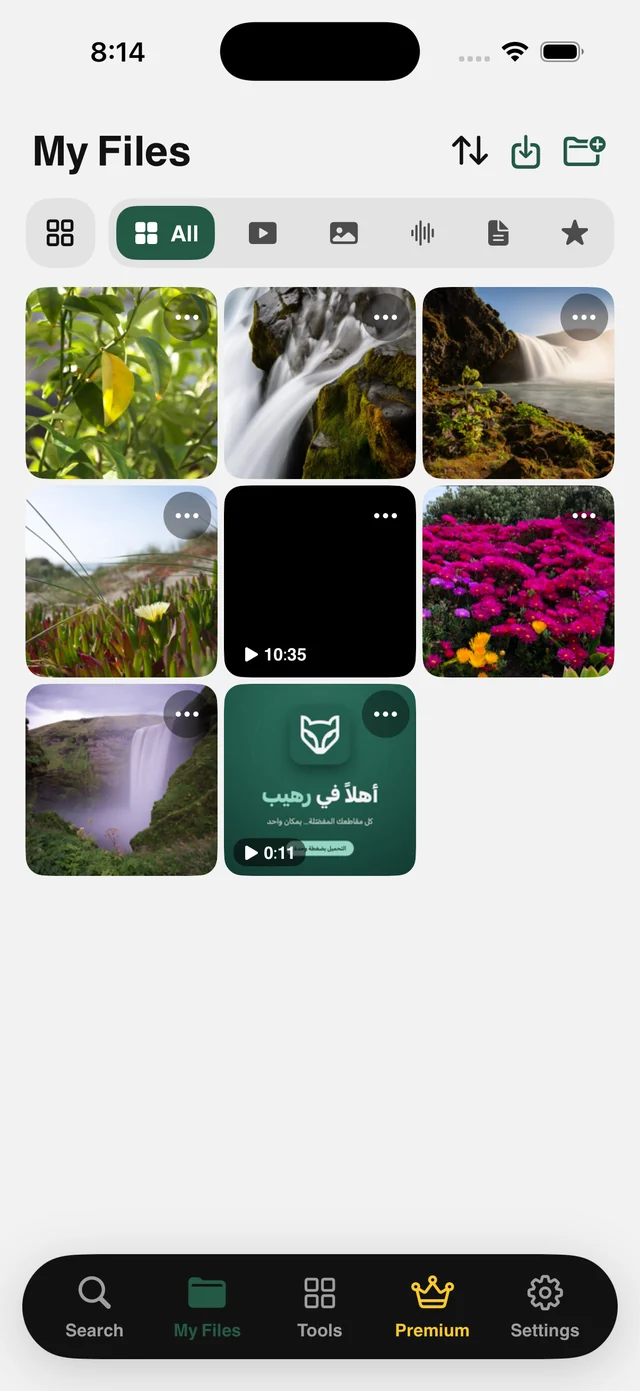
Organize your files in folders and open or play them offline. When you find a file on the web, paste its link or tap Share and choose Raheeb to save it to My Files.
Save figures come from Raheeb's servers since June 2026; the rating is from the App Store.
Save from the sites you use
Paste the link, and Raheeb reads it and fetches the original file. It also works with hundreds of other sites through direct links.
Save TikTok videos on iPhone
Save the video to your files, or keep the audio as MP3.
How to use itInstagramSave Instagram videos and photos
Videos and multi-photo posts, straight to your files.
How to use itYouTubeSave YouTube videos on iPhone
Pick the quality up to 4K, or save the audio as MP3.
How to use itFacebookSave Facebook videos on iPhone
Public videos, straight to your files.
How to use itX (Twitter)Save videos from X (Twitter)
Videos and GIFs, straight to your files.
How to use itPinterestSave images and videos from Pinterest
Images at full resolution, sorted into folders.
How to use itAny linkSave a file from any direct link
PDFs, ZIPs and any direct file, into your files.
How to use itA file manager first
Raheeb keeps your files together and gives you on-device tools to convert, trim, organize and protect them, with nothing uploaded.
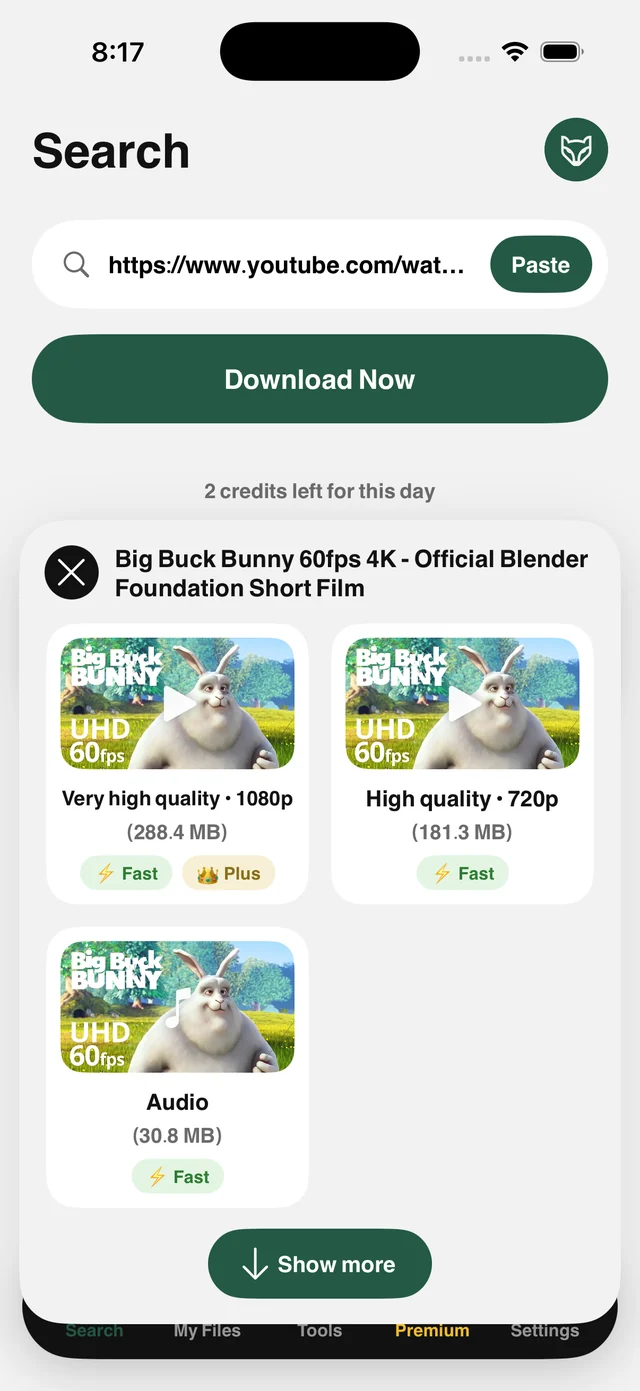
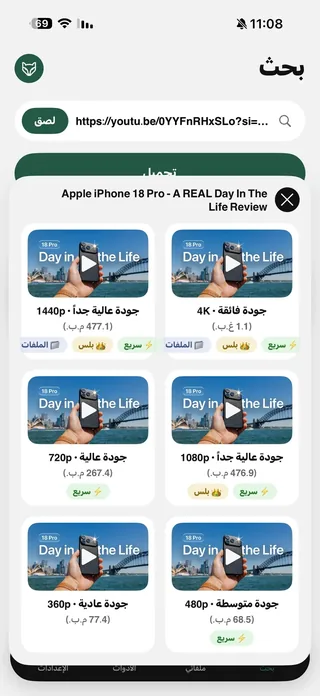
Every available quality, with each size shown
4K down to 360p, or audio alone. You see the resolution and the size in megabytes before you tap, and you get exactly that version. Large files download over several parallel connections, so 70 MB takes seconds.
See how it worksMy Files: folders, a player and a Face ID lock
All your files in one organized space inside the app: nested folders, type filters, Favorites, and a player that works offline and in the background. Import your own photos, documents and ZIP archives, which uncompress automatically.
Explore My FilesTools for your files
Turn speech into text, extract MP3, trim video without losing quality, remove audio, cut the background out of a photo, or combine images into a PDF. All on your device, with nothing uploaded.
See all the tools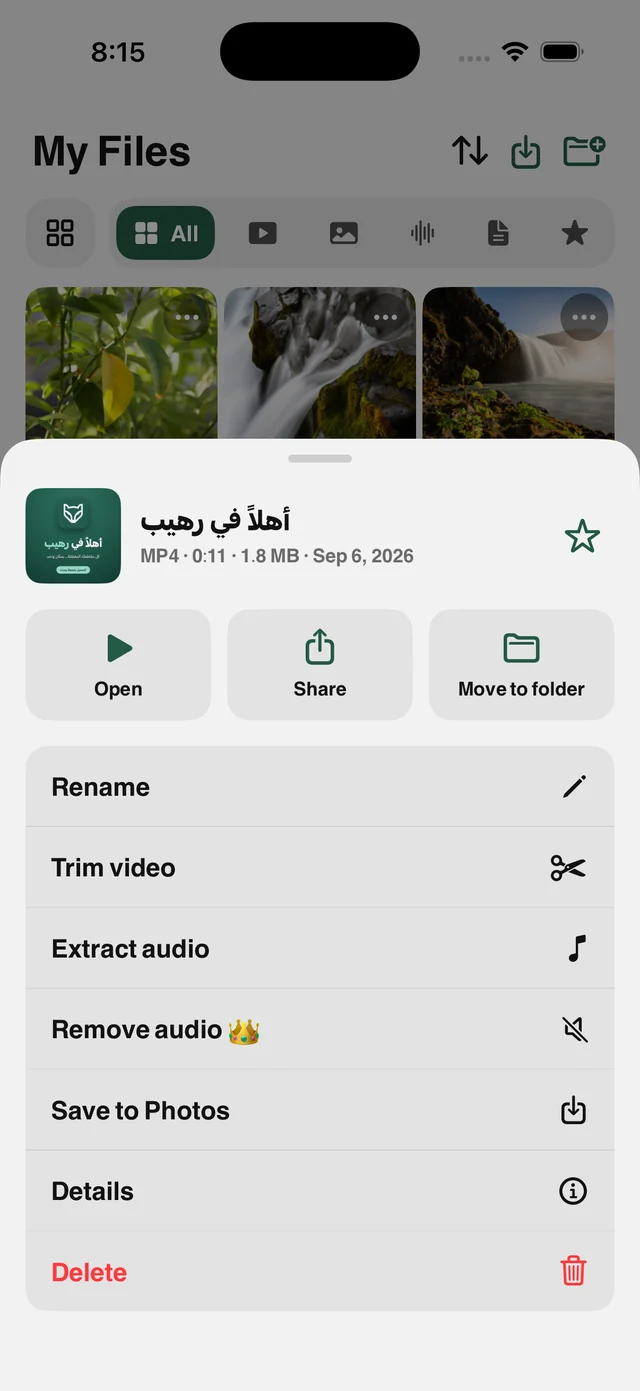
A share extension and a browser that saves files
Share → Raheeb, and the file is saved without leaving the app you're in. The built-in browser offers Save to My Files for any file, PDF, ZIP or image, in one step.
Try the share sheet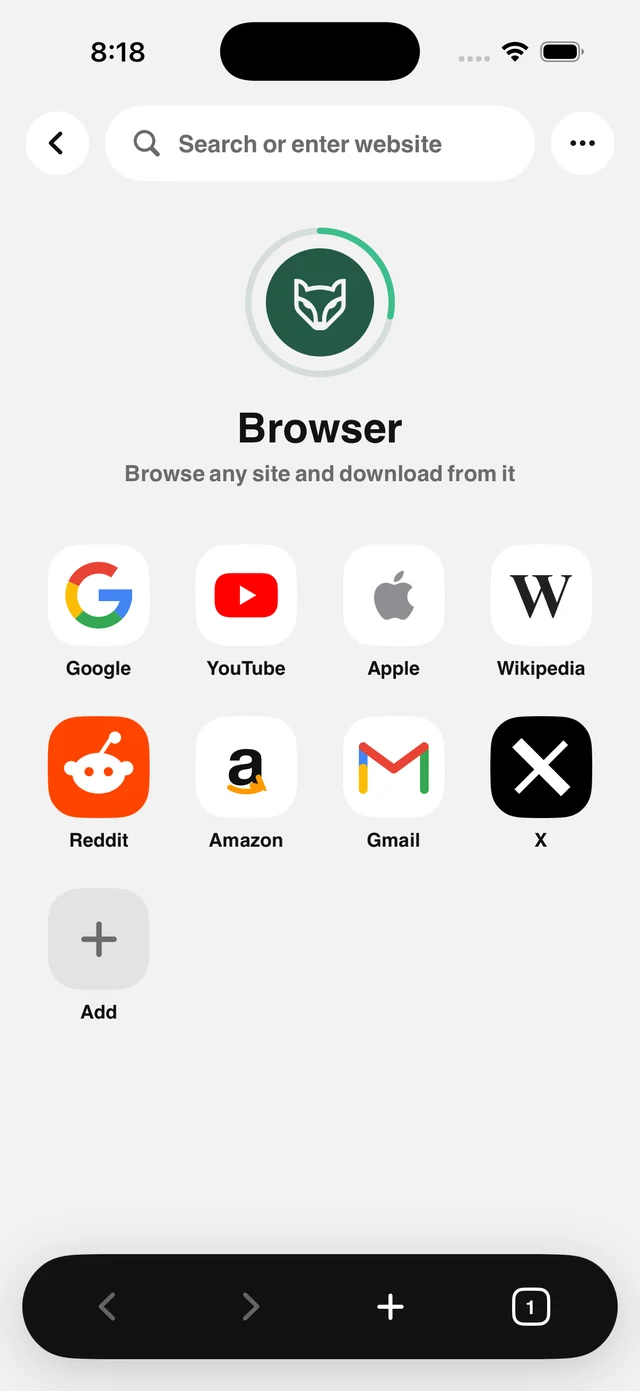
Every feature
Tap any feature to see exactly how it works and where to find it in the app.
Privacy, as a fact
Raheeb never signs in to any site, stores no account cookies, and doesn't upload your files to a server for processing.
No account
No sign-in and no password, in Raheeb or on any site.
On-device processing
Transcription, background removal, PDF, trimming, removing audio: all on your device.
Your files stay yours
Stored inside the app on your device, behind Face ID if you want.
Public content only
Private accounts and temporary content are out of scope.
What Raheeb users say
Real reviews published on the App Store — reproduced exactly as their authors wrote them, untranslated.
أشكركم
والله ان التطبيق رهيب مره
Its cool !
Downloading any thing faster than I imagin
شي رايق و كفو
♥️
THE BEST
Excellent and smoothy app..🤍🤝
فخم
فنان
Best
Easy and fast app
الكويت
ممتاز جداً
Amazing
اسطوري
Very nice
To much good 👍👍
Free for everyday use
Save 3 files a day with no account, and raise your daily limit by inviting friends. When you want no limits, Raheeb Pro unlocks everything.
Free
For everyday use.
- Save 3 files a day
- All supported sites
- My Files with folders and a player
- Audio extraction and trimming
- Direct WhatsApp and Search by Image
Raheeb Pro — Yearly
≈ $3.33 a month · save 44%.
- Unlimited saving
- Best available quality, up to 4K
- No ads
- Video to text and background removal
- Face ID lock for My Files
- 3-day free trial
Raheeb guides
 The best app to save videos on iPhone: 3 ways comparedScreen recording vs. download sites vs. a file manager app: an honest comparison with steps.5 min readWhat do Arab users save from the web? Data from 490,000 save requests in 2026490,000 save requests: which sites Arab users save from, and from which country.3 min read
 Save TikTok Videos on iPhone in the Best QualityFrom the Share button or a pasted link: videos up to 1080p and complete photo slideshows.5 min read
Common questions
Is Raheeb free?
Which devices does it run on?
Where can I save from?
Do I need to sign in to any site?
Where are files saved?
Are my files uploaded to your servers?
Is saving from the web legal?
What does the subscription cost?

Get Raheeb Free
On the App Store for iPhone and iPad. No account, and your first save takes seconds.