Choose the quality before you save
Instead of a surprise 500 MB file or a blurry video, Raheeb shows the real qualities the link offers and the size of each, and you decide what goes into My Files.
What is this feature?
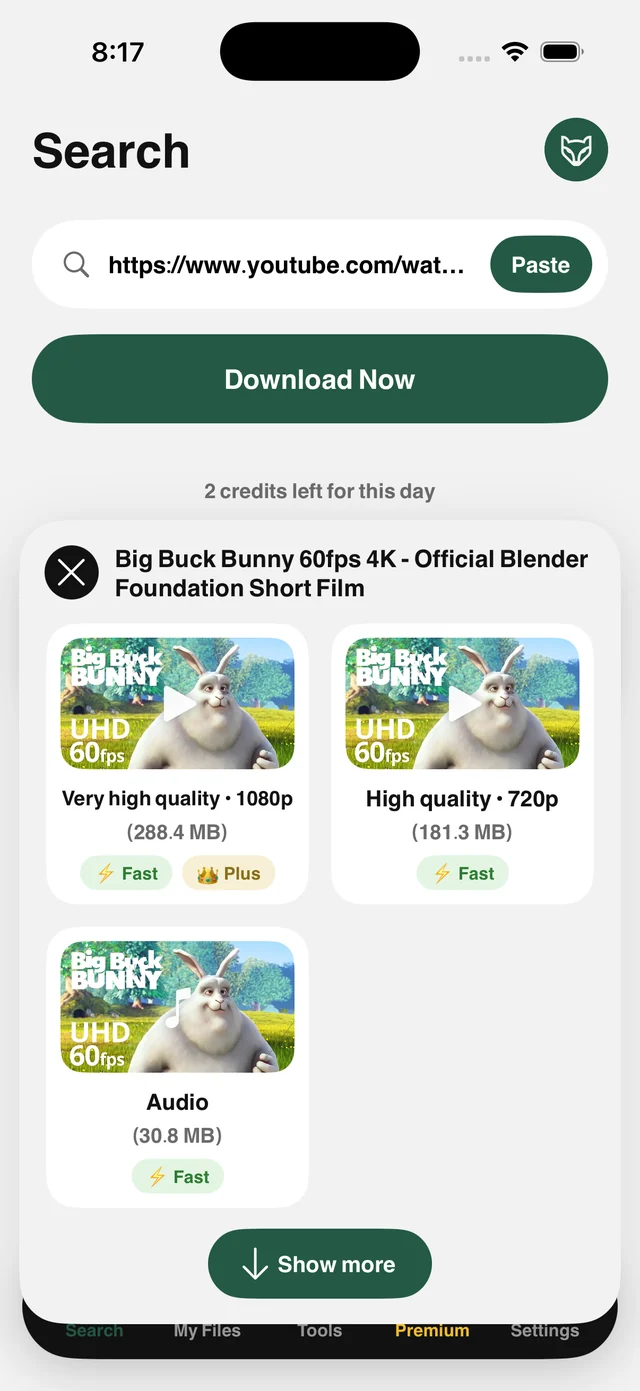
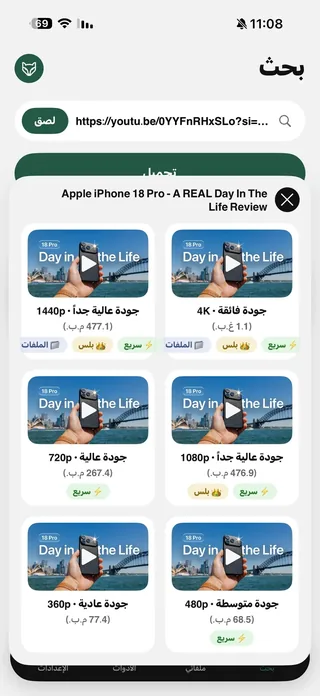
Many apps save whatever they can get without asking, so you end up with a huge file you didn't need or a poor copy you can't use. Raheeb shows the actual list of qualities the link offers, with each option's size in megabytes, a thumbnail and the video's title, before you tap.
Options include the video at every available resolution, up to 2160p (4K) when the source has it, and the audio alone for anyone who only wants the podcast or the lecture. For large files the app opens several parallel connections over your own network, turning minutes into seconds. The file lands in My Files, ready to organize and play.
Size up front
Know how many megabytes it takes before you tap, not after.
Up to 4K
High resolutions appear when the source really offers them.
Audio only
An Audio option in the same list cuts about 90% of the size.
Parallel downloads
Large files come down over several connections at once.
How to use it
- 1
Paste the link
A link to any video on a supported site.
- 2
Tap Save
Raheeb reads the link and builds the option list.
- 3
Pick a quality
Each card shows resolution and size. Tap the one you want.
- 4
Done
The file is saved to My Files exactly as you chose.
When to use it
Full storage
Pick 480p for long videos instead of filling your phone.
Limited data
On cellular, choose a lower quality or audio only.
Your own videos
Save the highest resolution of your videos to edit or archive.
Frequently asked questions
Why doesn't 4K always appear?
Does the audio option give me MP3?
Does high quality need a subscription?
Why does the size differ from what the site shows?
Can I change the quality after saving?
Guides
 The best app to save videos on iPhone: 3 ways comparedScreen recording vs. download sites vs. a file manager app: an honest comparison with steps.5 min readSave YouTube Videos in HD, 1080p and 4K on iPhoneEvery quality of the video with its size, up to 4K, and follow the download from the Lock Screen.5 min read
 How to compress a video and reduce its size on iPhoneShrink any video in three taps and see the size before and after.4 min read
Get Raheeb Free
On the App Store for iPhone and iPad. No account, and your first save takes seconds.