Save from the share sheet without opening the app
From inside any app: Share → Raheeb. A small card handles the save while you stay right where you are.
What is this feature?
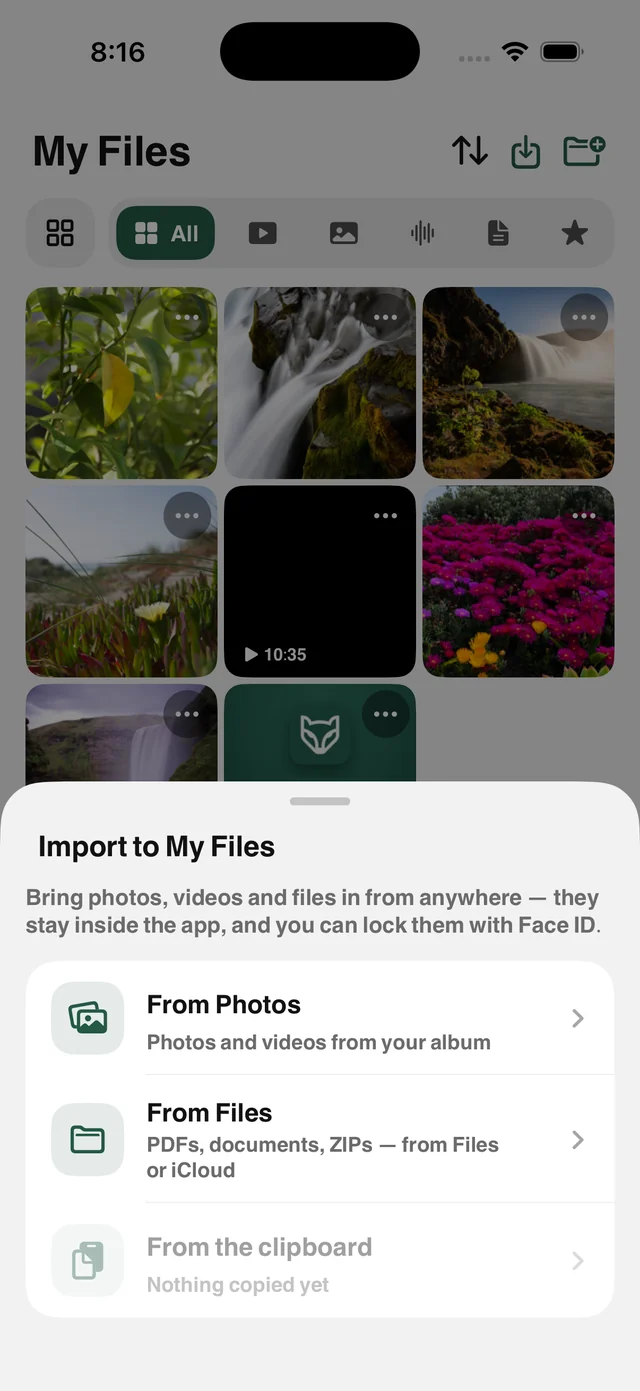
The fastest way to save a file is to never leave what you're doing. Raheeb's share extension appears in the app row of the iOS share sheet: in Safari or any app, tap Share and choose Raheeb, and a small card shows a progress ring and then a checkmark, without leaving the app you're in.
It isn't only for links: share a PDF, an Office document, a ZIP file or a photo and it's saved to My Files, with ZIP files uncompressed the next time you open the app. Share a contact and Raheeb opens a WhatsApp chat with that number without saving it.
No app switching
The save happens inside the share sheet itself.
Links and files
Post and video links, documents, ZIP files and photos.
Same daily limit
Works within your daily limit, with no limit on Raheeb Pro.
Saves to both places
My Files and Photos, depending on your settings.
How to use it
- 1
Open the post or file
In Safari or any app.
- 2
Tap Share
Then choose Raheeb from the app row.
- 3
Watch the ring
A small card shows progress, then a checkmark.
- 4
Done
The file is in My Files, and you never left the app.
When to use it
While browsing
Save what you find without stopping what you're doing.
Attachments
Share a PDF from Mail straight into My Files.
Compressed files
Share a ZIP file and it becomes a tidy folder in the app.
Frequently asked questions
Raheeb isn't in my share sheet. What now?
Do I need to open the app afterward?
Does it count toward my daily limit?
Does it accept files, not just links?
Where are files saved?
Guides
 The best app to save videos on iPhone: 3 ways comparedScreen recording vs. download sites vs. a file manager app: an honest comparison with steps.5 min read
 Save TikTok Videos on iPhone in the Best QualityFrom the Share button or a pasted link: videos up to 1080p and complete photo slideshows.5 min read
 Save Instagram Reels on iPhone with Sound in Full QualityThe video with its audio in your files, from Share or a pasted link.3 min read
Get Raheeb Free
On the App Store for iPhone and iPad. No account, and your first save takes seconds.