Turn images into a PDF
Pick your images in the order you want, with a number on each, and get one PDF in My Files, built on your device with nothing uploaded.
What is this feature?
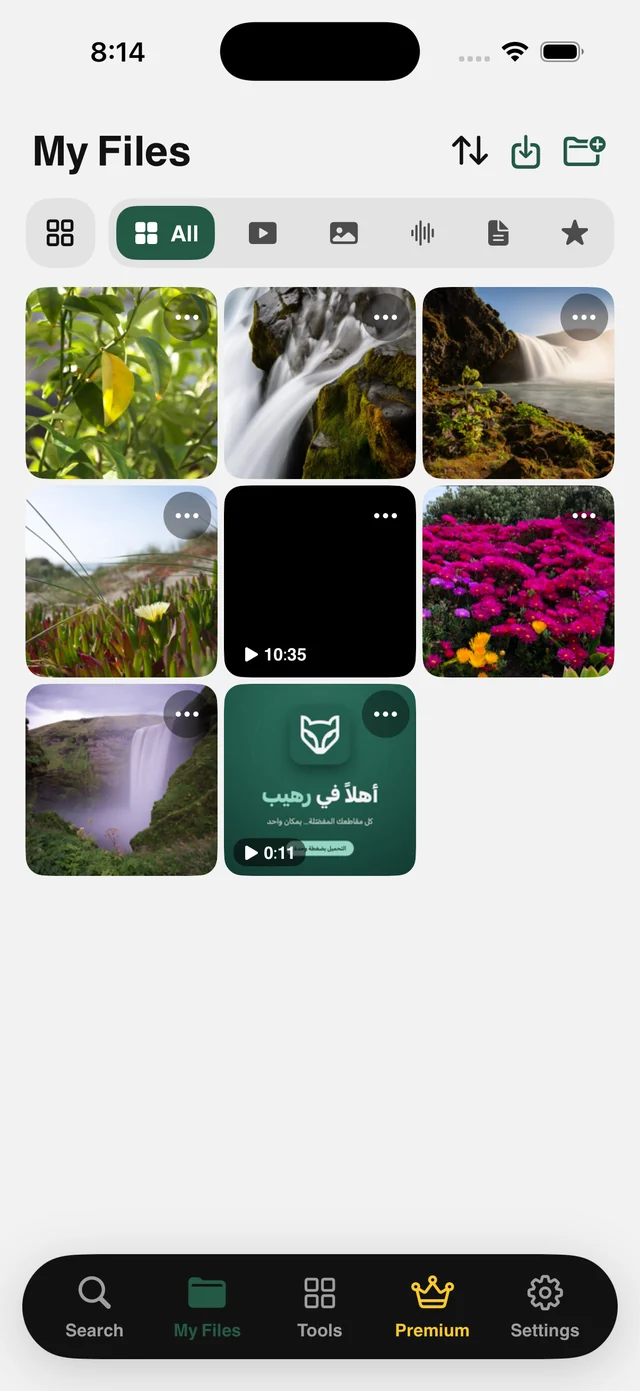
Photographed documents are an everyday problem: ten shots of a contract, an invoice or an assignment that need to go out as one ordered file. Raheeb shows all your images from My Files and from Photos, and the order you tap is the page order, with a clear number on each selected image.
You choose between two page modes: Image Size makes every page exactly the size of its picture, and A4 places each image on a standard A4 page with white margins, usually what you want for printing or formal submission. The file is built on your device, appears in My Files under the Documents filter, and opens right away in a quick preview.
Order by tapping
The first image you tap is page one, and its number shows on it.
A4 or image size
A standard printable page, or a page shaped like the photo.
All your images
My Files images and Photos in a single grid.
On your device
No upload and no outside site. Built locally.
How to use it
- 1
Open Photos to PDF
From the Tools tab, or the ⋯ menu on any image in My Files.
- 2
Tap images in order
A page number appears on each one you pick.
- 3
Choose the page shape
Image Size or A4.
- 4
Convert and save
The file opens right away and is saved to My Files.
When to use it
Official paperwork
Photograph a contract and send one file instead of ten images.
Invoices
Collect the month's receipts into a single document.
Assignments
Turn photos of your work into an ordered PDF before you hand it in.
Frequently asked questions
How do I order the pages?
Does it work with images in Photos?
Is the file uploaded anywhere?
Where do I find it?
Is it free?
Guides
 Save TikTok Videos on iPhone in the Best QualityFrom the Share button or a pasted link: videos up to 1080p and complete photo slideshows.5 min read
 Save TikTok Photos on iPhone: Every Slide at OnceThe whole slideshow as separate photos, instead of a screenshot per slide.3 min read
 Save Instagram Reels on iPhone with Sound in Full QualityThe video with its audio in your files, from Share or a pasted link.3 min read
Get Raheeb Free
On the App Store for iPhone and iPad. No account, and your first save takes seconds.