Direct WhatsApp: message any number without saving it
You don't need every seller, driver and courier in your contacts. Type the number in Raheeb, tap Start Chatting, and WhatsApp opens on the conversation.

What is this feature?
WhatsApp won't open a chat with an unsaved number, so you end up with contacts full of people you'll never message again. Direct WhatsApp keeps it simple: a number field, a country code, and one button that opens the chat in WhatsApp.
It remembers the numbers you used recently so they're one tap away, and accepts a paste from the clipboard when you copied the number from an ad or a message. Share a contact to Raheeb from any app and its chat opens too.
No saving
Your contacts stay tidy.
Country codes
Pick a code, or paste a number in international format.
Recent numbers
The numbers you used are kept for quick access.
From the share sheet
Share a contact to Raheeb to open its chat right away.
How to use it
- 1
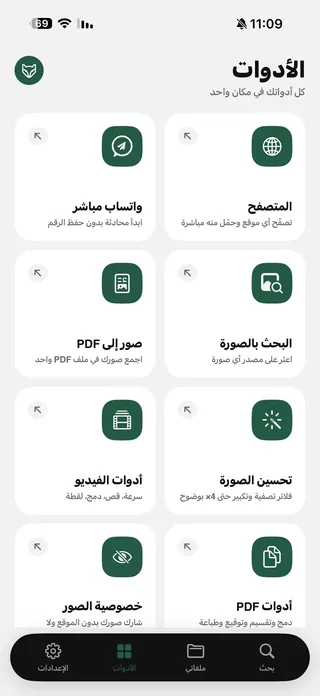
Open Direct WhatsApp
From the Tools tab.
- 2
Choose a country code
Or paste the full number in international format.
- 3
Type the number
No leading zeros or extra symbols.
- 4
Start the chat
WhatsApp opens on the conversation.
When to use it
Orders and shopping
Message a seller or courier once, without saving their number.
Work
Reach a client from an ad without adding them to your contacts.
Travel
Message a hotel or driver on an international number.
Frequently asked questions
Does WhatsApp need to be installed?
Is the number saved to my contacts?
Does it work for any country?
Are numbers sent to a server?
Is it free?
Guides
 How to message someone on WhatsApp without saving their numberA courier, a seller or a new number? Message them on WhatsApp and keep your contacts clean.4 min read
 How to reverse image search on iPhone with four enginesA product in an ad, a news photo, or your own copied pictures — four reverse image search engines on one screen.4 min read
 Raheeb tips: the widget, Siri commands and quick save shortcutsWidget, Siri, icon shortcuts, Download History and invite codes — 10 tips that save you taps.6 min read
Get Raheeb Free
On the App Store for iPhone and iPad. No account, and your first save takes seconds.