In this guide
- 1Why you want the lecture in writing
- 2Two ways Raheeb gets you the text
- 3How to turn a YouTube lecture into text
- 4TikTok, Instagram and other clips: transcribed on your phone
- 5Translating between Arabic and English
- 6Raheeb vs. typing it yourself vs. transcription websites
- 7For creators: a caption from your own clip
- 8For students: how to study from the transcript
Why you want the lecture in writing
An hour-long lecture on YouTube costs you another hour every time you go back to it. A transcript you can read in minutes, search for a word, and copy a definition or a paragraph from into your notes. The same goes for creators who want a caption written from their own clip, or anyone who needs to understand an English clip in Arabic.
YouTube shows captions while you watch, but they scroll past one line at a time over the picture. A student needs something else: the full text in one place, ready to copy, rearrange and review the night before the exam.
Two ways Raheeb gets you the text
| YouTube videos | Other platforms and files | |
|---|---|---|
| Source of the text | The video's own captions | Speech transcribed with Apple's speech recognition |
| Languages | Arabic · English · the video's original language | You choose: Arabic or English |
| SRT file | Yes, direct export | Included when sharing, when timing is available |
| Requirement | The video has captions | Clip up to 30 minutes with clear speech |
SRT is the subtitle format that editing apps and players accept: every sentence paired with the time it appears. It's handy if you want to add subtitles to your own clip, or keep the text organized by timestamp.
How to turn a YouTube lecture into text
- 1Copy the lecture linkIn YouTube, tap “Share” and then “Copy link”.
- 2Paste it into RaheebIn the Search tab, paste it into “Paste the link here” and tap Download — or tap the copied-link card if it shows up.
- 3Pick “Video transcript”In the quality sheet, below the resolutions and the “Audio” card.
- 4Copy, share or translateThe text appears with “Copy text”, “Share” and “Translate”, plus an .srt export for YouTube videos.
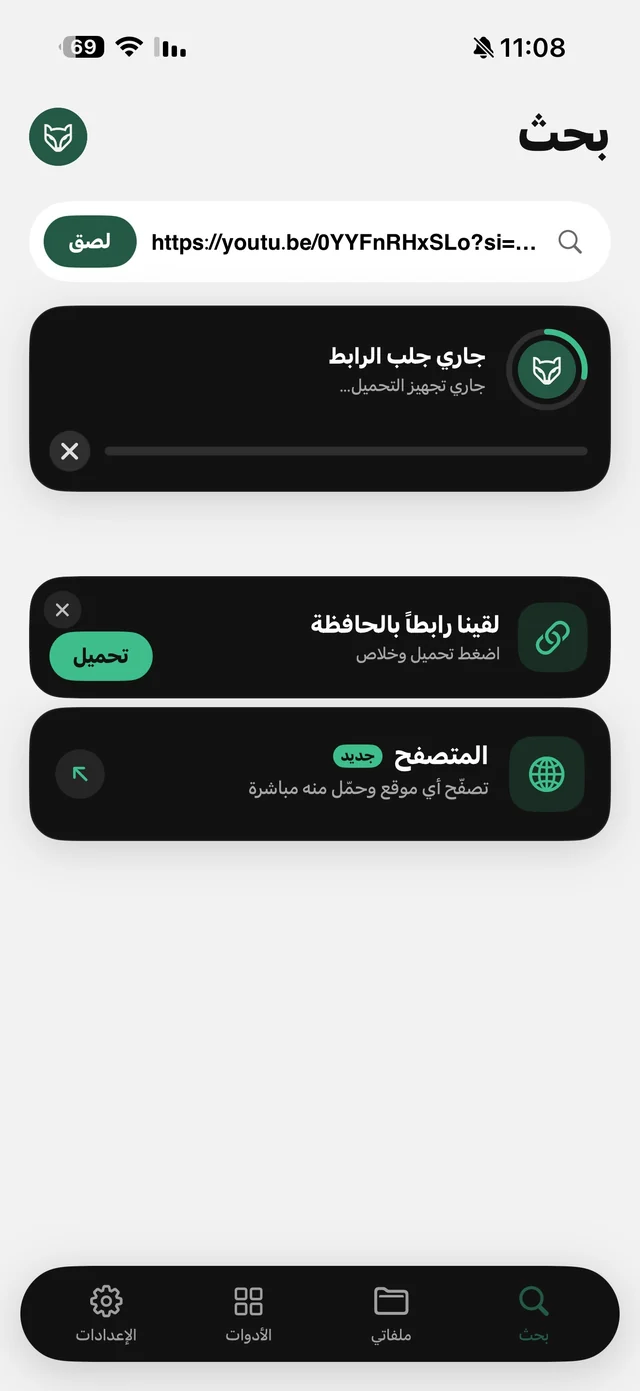
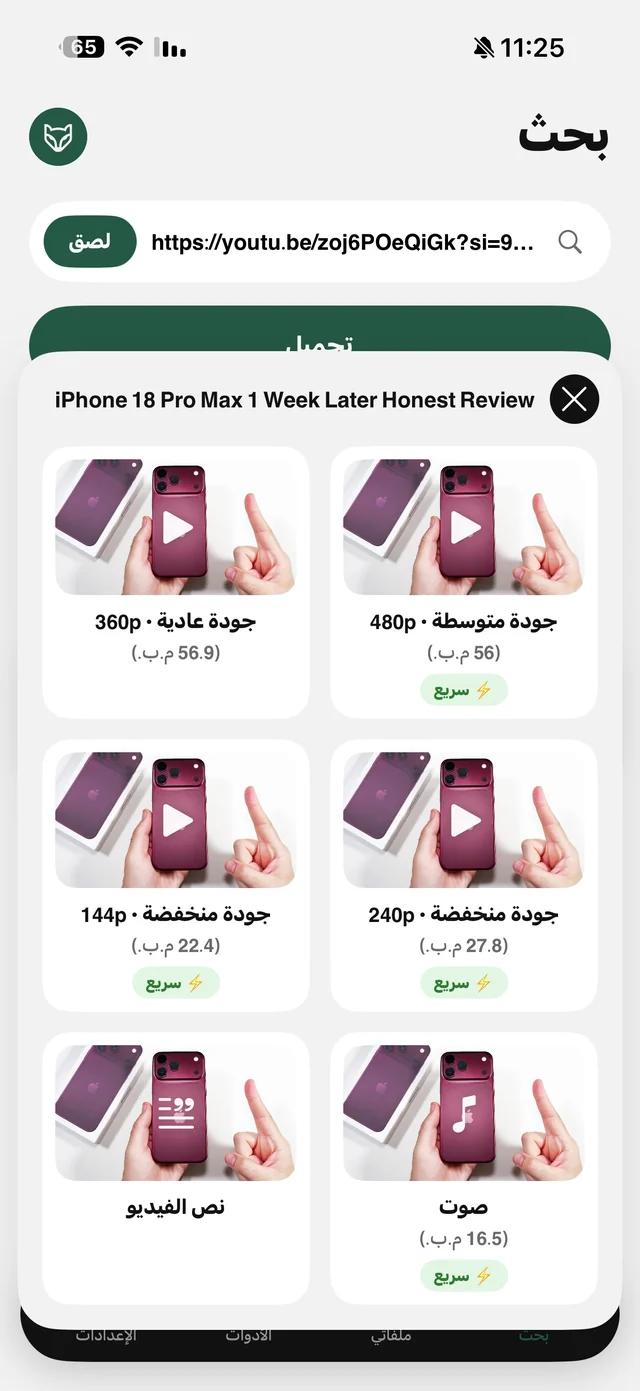
Requesting the transcript doesn't count toward your daily downloads, so you can grab the lecture's text first and then decide whether to download the video or just the audio for listening on the go.
TikTok, Instagram and other clips: transcribed on your phone
For clips from Instagram, TikTok and other platforms the route is different: Raheeb downloads the clip, pulls out its audio and transcribes it with Apple's speech recognition. First it asks for the clip's language — Arabic or English — so the words come out right.
Transcription runs on the phone itself when your device supports the language; on older devices the audio may go through Apple's speech recognition service. Either way, the file is never uploaded to Raheeb's server. The first time, iOS asks for speech recognition permission — without it, transcription won't work.
Translating between Arabic and English
The “Translate” button converts the text from English to Arabic or the other way around on the device, on iOS 18 and later, and “Show original” brings back the text as it was. It helps with an English lecture you want to grasp quickly, or an Arabic caption you want in English. Machine translation gives you the meaning, but check technical terms before relying on it for a paper or an assignment.
Raheeb vs. typing it yourself vs. transcription websites
| Typing while you listen | Web transcription sites | “Video transcript” in Raheeb | |
|---|---|---|---|
| Time | The length of the lecture and more | Upload the file, then wait | Text in front of you after picking the card |
| Account | Not needed | Usually a sign-up | No account |
| The file | Stays with you | Uploaded to the site's server | Not uploaded to Raheeb's server |
| Result | Your own notes | Text, depending on the service | Text to copy and share, plus SRT for YouTube |
Taking notes by hand is still the best way to understand a lecture, but it's exhausting when what you need is the full text. The best approach combines both: get the text ready-made, then write your own summary from it.
For creators: a caption from your own clip
Filmed a clip explaining a product or a recipe? The transcript of what you said becomes the base for your caption or description, instead of rewatching the clip and writing it from memory. And for YouTube videos with captions, the SRT file drops into your editing app as timed subtitles.

Try “Video transcript” on your next lecture.
For students: how to study from the transcript
- Text first: take the lecture transcript, put it in your notes, and mark the definitions and examples.
- Audio second: download the lecture as audio only and listen at 1.5× or 2× while walking or driving — the audio keeps going with the screen locked.
- A folder per course: keep lectures and transcripts in folders inside My Files so you can find them the night before the exam.
- Trim the key part: cut out the minute where the problem is explained and send that to a classmate instead of a whole hour.