In this guide
Steps
- 1Copy the linkIn the app or site with the video: Share, then Copy Link, or copy it from the address bar.
- 2Open RaheebIn the Search tab the copied-link card appears without pasting. Tap Save, or tap Paste.
- 3Pick a qualityThe available qualities show with their sizes, plus an Audio card for the sound only.
- 4Follow the progressPercentage, size left and time, with a cancel button. The download continues while you're in another app.
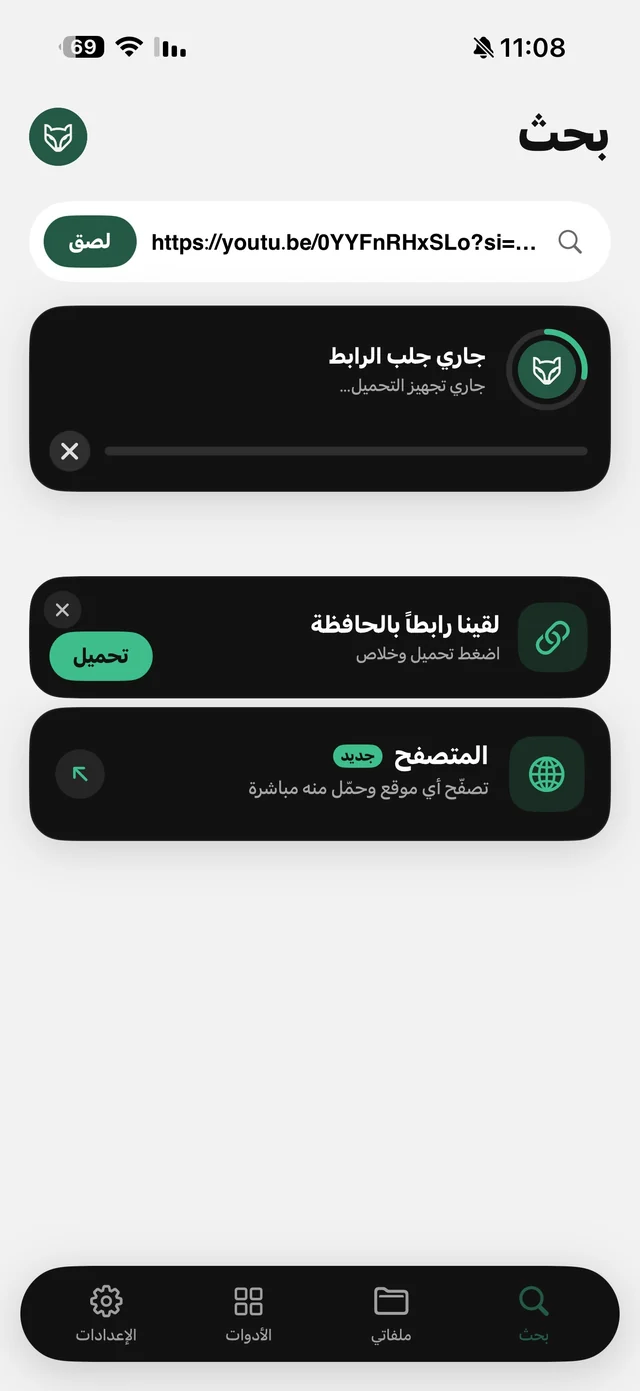
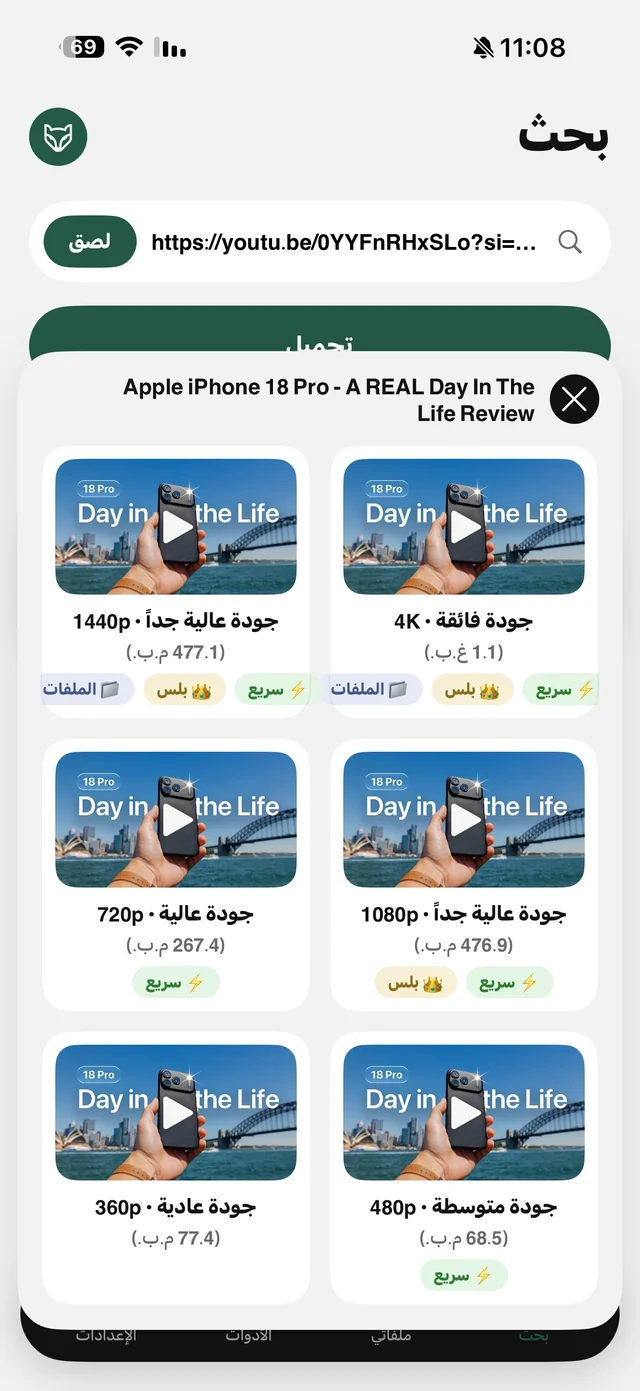
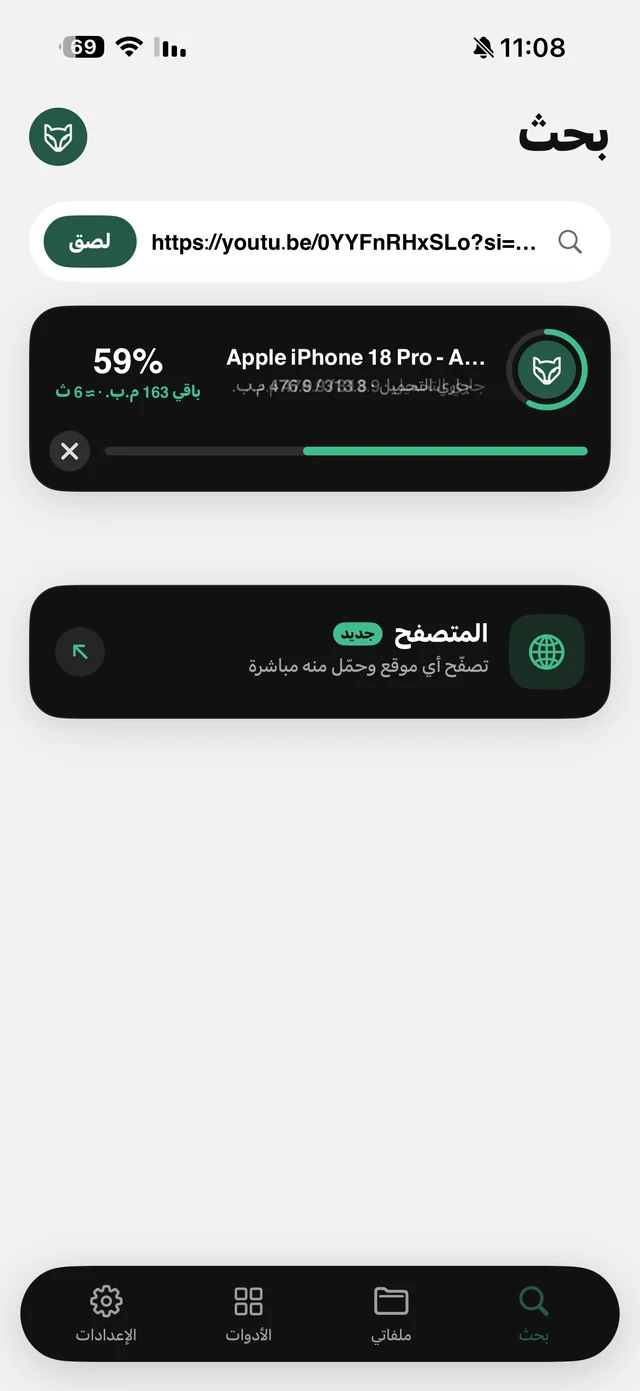
Raheeb doesn't read your clipboard on its own: it only knows there's a link there, and reads it only when you tap Save or Paste. That's why the system's “pasted from…” banner doesn't appear every time you open the app.
Which links work?
| Link | What's saved |
|---|---|
| A public post or video on TikTok, Instagram, YouTube, X, Facebook or Pinterest | The video at the quality you pick, or its audio |
| A post with several photos and videos | Every item at once |
| A direct file link ending in MP4, MOV or MP3 | The file as it is |
| A direct link to a PDF, ZIP or document | Saved to My Files, and a ZIP becomes a folder |
| A profile, channel or playlist page | Rejected; you need a specific video's link |
| A private account, temporary content or a live stream in progress | Not saved |
Rejected links are turned down before the download starts, so they don't count toward the daily limit, and neither does anything that failed or that you canceled. Each site has a guide in the Sites section, and direct links are covered on the save from any link page.
Does it save from any site?
No, and any app that promises “any site” without exception is exaggerating. Big sites each serve video differently; Raheeb supports the popular ones in the table, plus any link that points straight to a video file. For a video inside another site's page, try opening the page in Raheeb's browser: if the video is a direct file, you'll get a Save to My Files option. Read download a video from Safari.

Paste your first link now: 3 files a day free, no account.
Faster than copy and paste
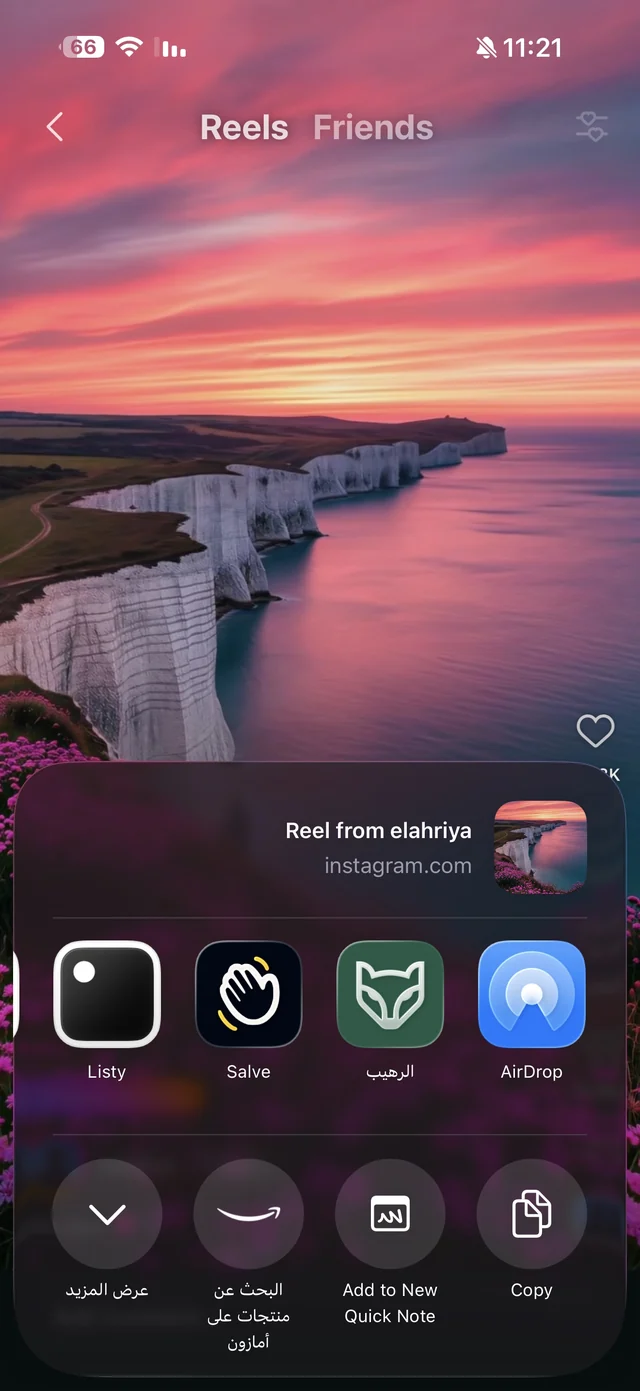
- The Share button: in the app with the video, tap Share, then Raheeb, and it saves without opening the app. Details on the Share button page.
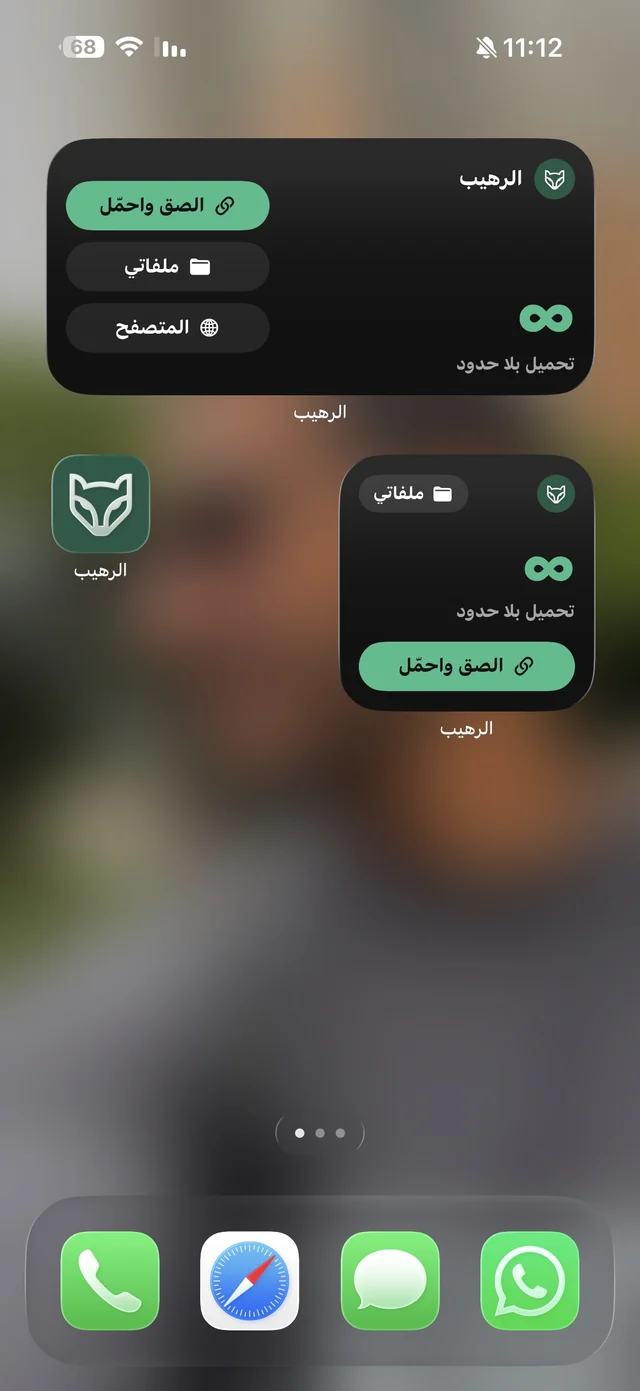
- The widget: a Paste & Save button on the Home Screen saves the copied link in one tap.
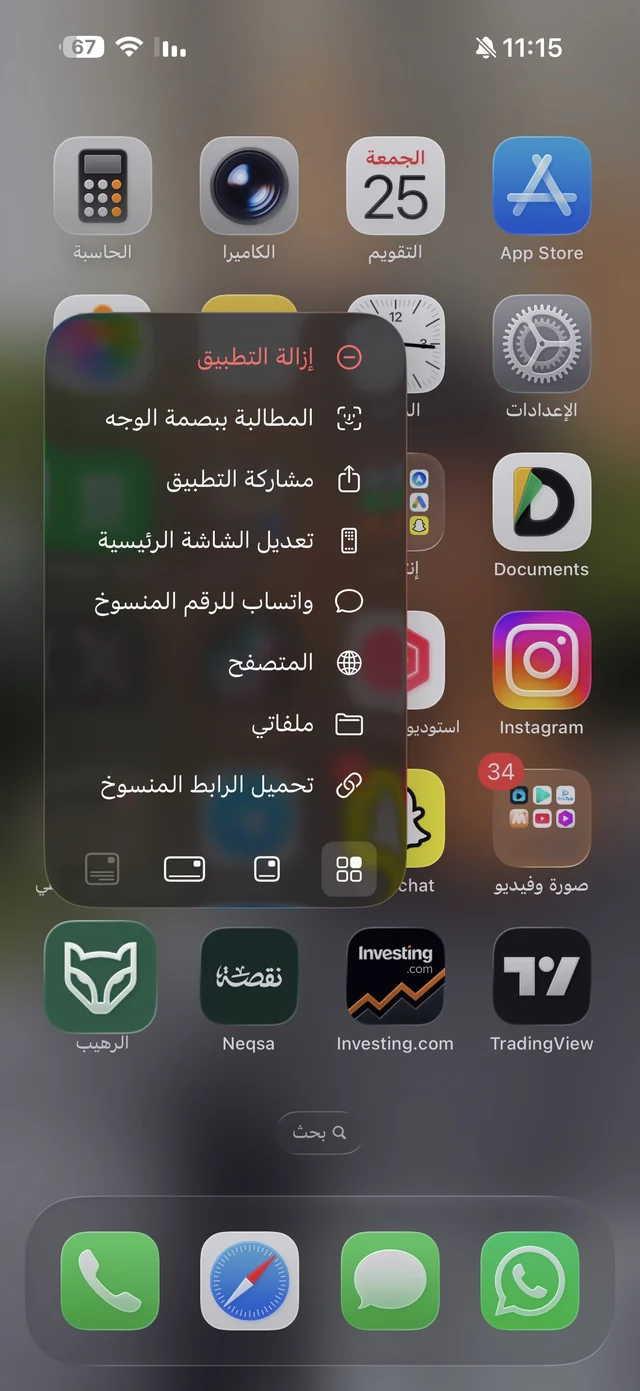
- Long-press the icon: a Save Copied Link shortcut. Read Raheeb tips.
Link didn't save?
- Is it the video's own link? Not the home page or the profile link.
- Is the post public? Anything that needs a sign-in can't be saved.
- Is the link complete? A link cut off while copying won't work, so copy it again from the Share button.
- Was the video deleted? If it's gone from the site, there's nothing to save.