Raheeb
Saving from sites

Download a video from Safari on iPhone

On the video's page in Safari, tap Share and choose Raheeb: it reads the page link and saves the video to Photos and My Files without leaving Safari. It works with pages from the most popular video and social sites, and with any video opened as a direct file. The alternative is Raheeb's browser, which offers Save to My Files for any downloadable file.

Abdulrahman Alqadiri · Raheeb developerUpdated: 3 min read
In this guide
  1. 1Way 1: Share from Safari
  2. 2A video from Google results
  3. 3Way 2: Raheeb's browser
  4. 4When doesn't it work?

Way 1: Share from Safari

  1. 1Open the video page in SafariFrom Google results or any link. Open the video's own page, not the site's home page.
  2. 2Tap ShareThe square with the arrow at the bottom of the screen or next to the address bar.
  3. 3Choose RaheebIf it's not in the row, scroll to the end, tap More and add it to Favorites.
  4. 4Wait for “Saved”Raheeb's card appears over Safari with the progress, then “Saved to Photos”.
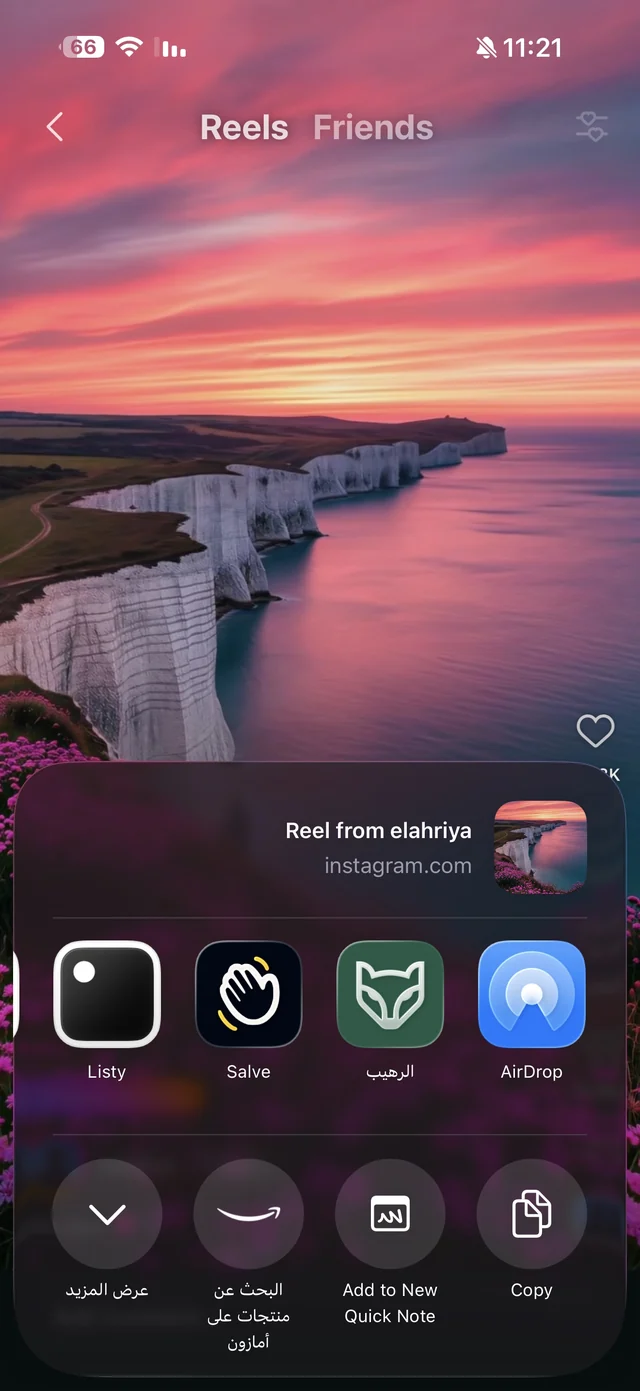
The iPhone share sheet inside Instagram with the Raheeb app icon
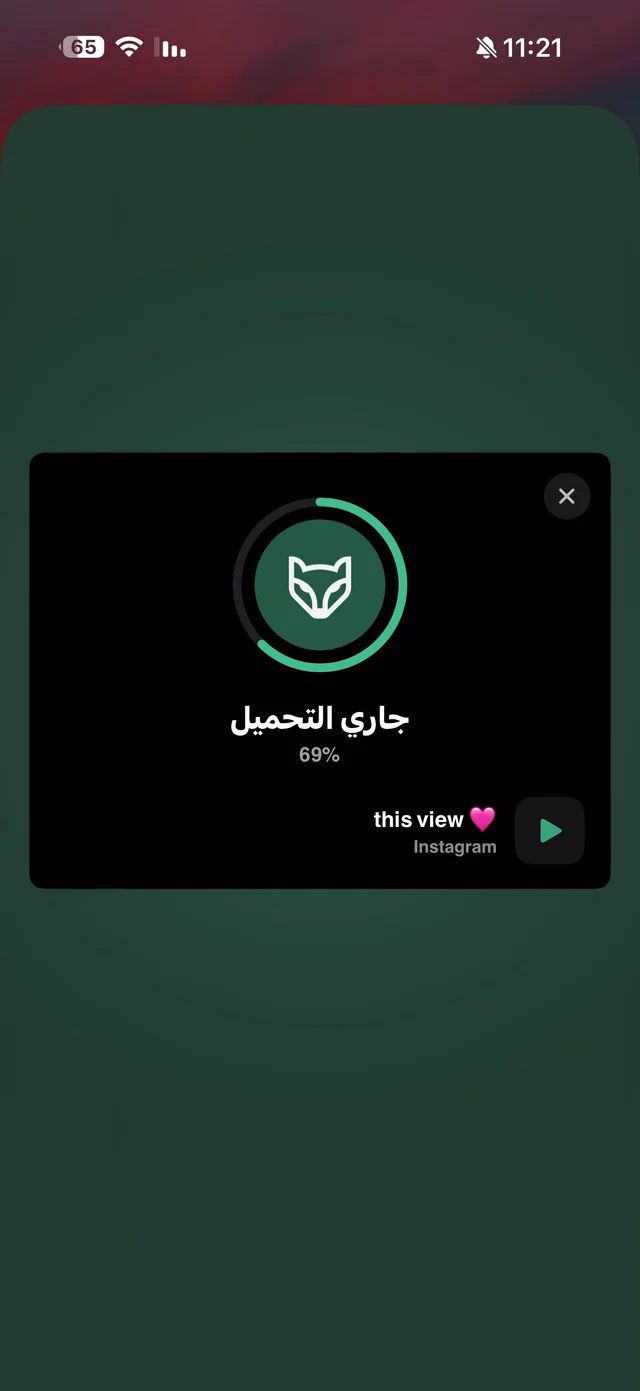
Raheeb card over Instagram showing the download at 69%
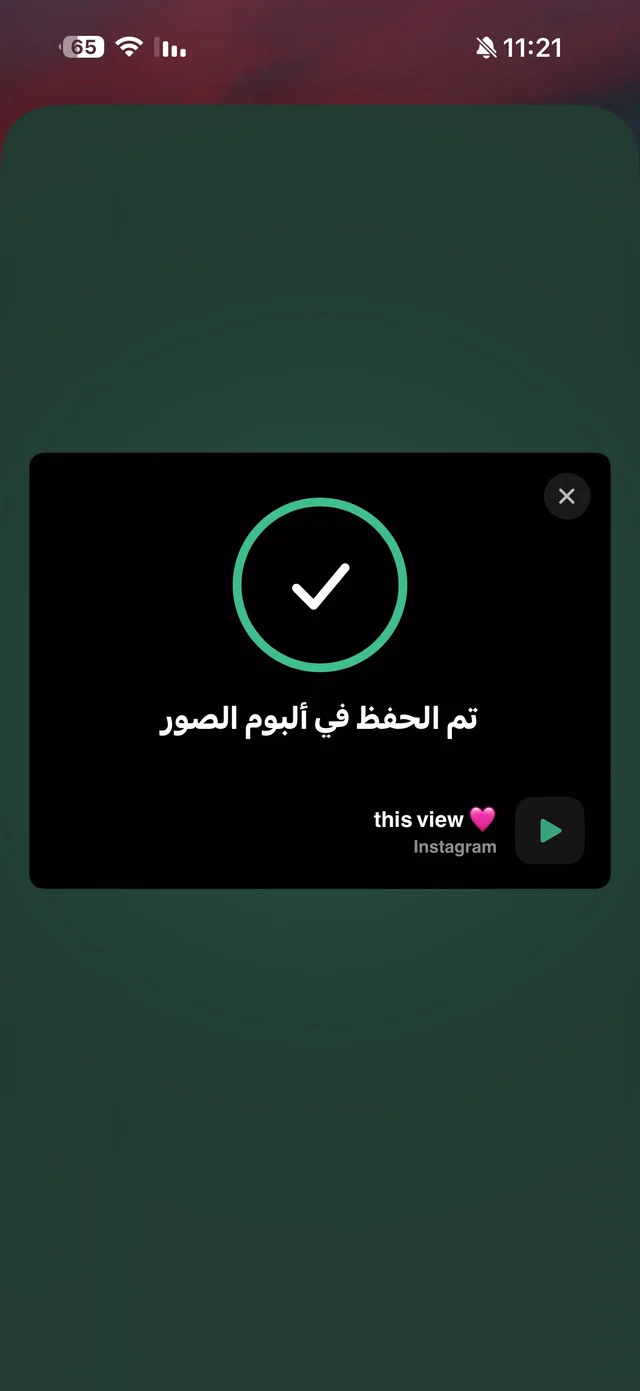
Raheeb card showing a checkmark and saved to Photos
The share sheet with Raheeb → the download card over the app → “Saved to Photos”. (Screenshots from another app; the steps are the same in Safari.)

A video from Google results

Google's video results are links to the sites where the video was posted, usually YouTube or social sites. Tap the result to open the video page, then Share → Raheeb as in the steps. If the result opens the site's app instead of Safari, tap Share inside the app and choose Raheeb the same way.

Way 2: Raheeb's browser

In Safari, a direct video (an MP4 file, for example) opens for viewing, and saving it goes through the Downloads list and then the Files app. In Raheeb's browser, when you open a link that is a file (video, audio, image, PDF or ZIP), a card appears with the file name, its size and a Save to My Files button, and it goes straight into My Files.

  1. 1Open the browserFrom the Tools tab → Browser.
  2. 2Search or type the addressJust like Safari, with tabs, private tabs and bookmarks.
  3. 3Open the file linkThe file's card appears with its size.
  4. 4Tap Save to My FilesThe file downloads straight to My Files over your own connection.
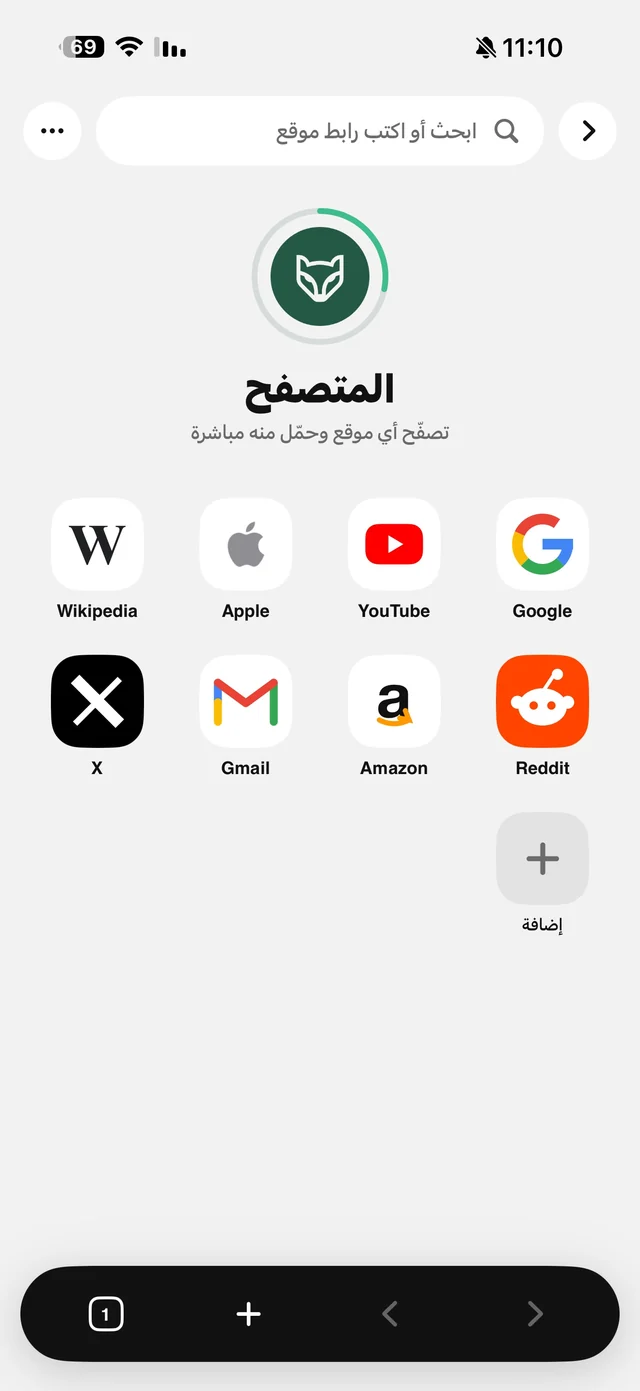
Raheeb built-in browser start page with shortcuts to popular sites
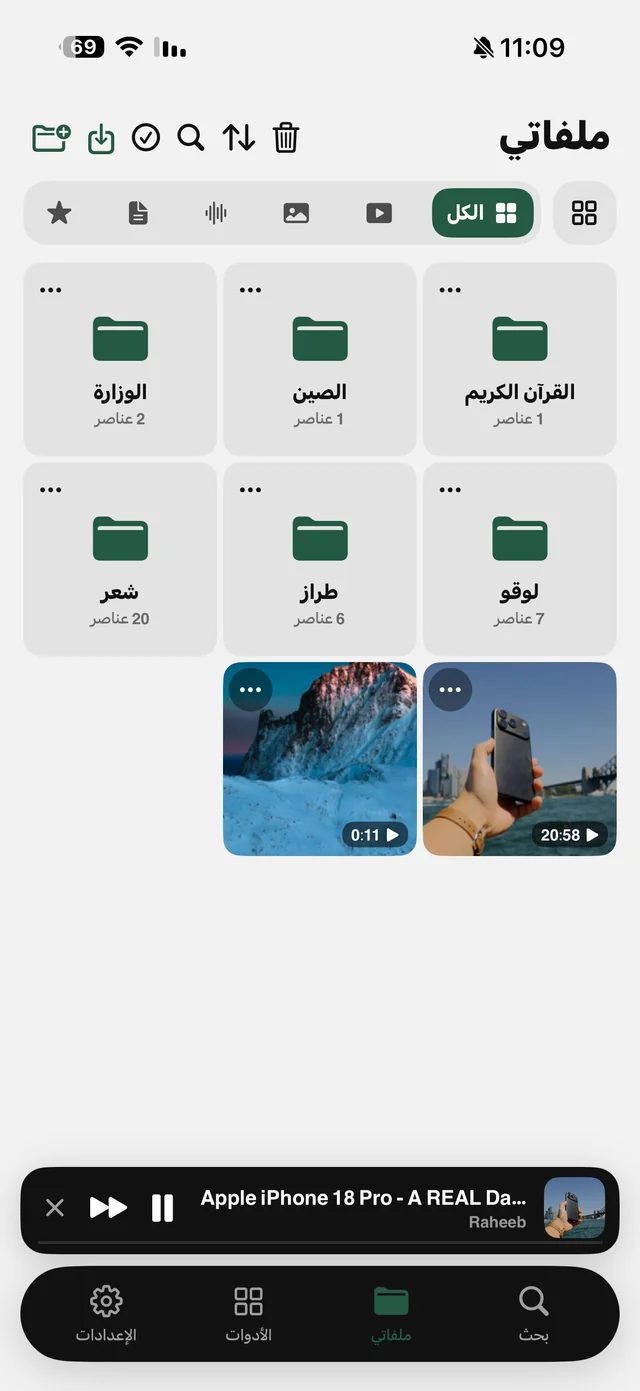
Raheeb My Files tab with organized folders, videos and a mini player at the bottom
The start page of Raheeb's browser → saved files in My Files.

The browser also plays audio in the background with the screen locked, and blocks ads with Raheeb Pro. Read play YouTube in the background and ad-free browser for iPhone.

Save your first video from Safari: 3 files a day free, no account.

Download on the App Store

When doesn't it work?

  • Video streamed in pieces on an unsupported site: it isn't a single file, so there's no save option.
  • Content behind a sign-in: private accounts and paid courses can't be saved.
  • A live stream in progress: it can be saved after it ends and is processed, if the site offers it as a regular video.
  • The site's home page: you need the video's own page.

FAQ

How do I download a video from Safari on iPhone?
Open the video page in Safari, tap Share, then Raheeb. The video is saved to Photos and My Files without leaving Safari.
Can I download a video from Google?
Google's video results link to their sites. Open the result, then Share → Raheeb, or copy the link and paste it into Raheeb.
Where is the video saved?
To Photos and My Files, depending on the “Where downloads are saved” setting. Files saved from Raheeb's browser go to My Files.
Why doesn't Raheeb appear in the share sheet?
Scroll the app row to the end, tap More, and add Raheeb to Favorites so it shows first.
Does it save video from any site?
No. It saves from popular video and social sites and from direct files. Video streamed in pieces on other sites can't be saved.
Is it free?
3 files a day for free; unlimited saving is part of Raheeb Pro.

Get Raheeb Free

On the App Store for iPhone and iPad. No account, and your first save takes seconds.