In this guide
How to download the audio from a YouTube video
- 1Copy the video's linkIn YouTube: “Share”, then “Copy link” — a lecture, podcast, lesson or Short.
- 2Paste it into RaheebIn the Search tab, tap “Download Now” on the “Found a link in your clipboard” card, or tap “Paste”.
- 3Choose the “Audio” cardIt's below the list of qualities, with its size shown on it.
- 4Open My FilesAudio always goes to My Files, where you'll find it under the “Audio” filter.
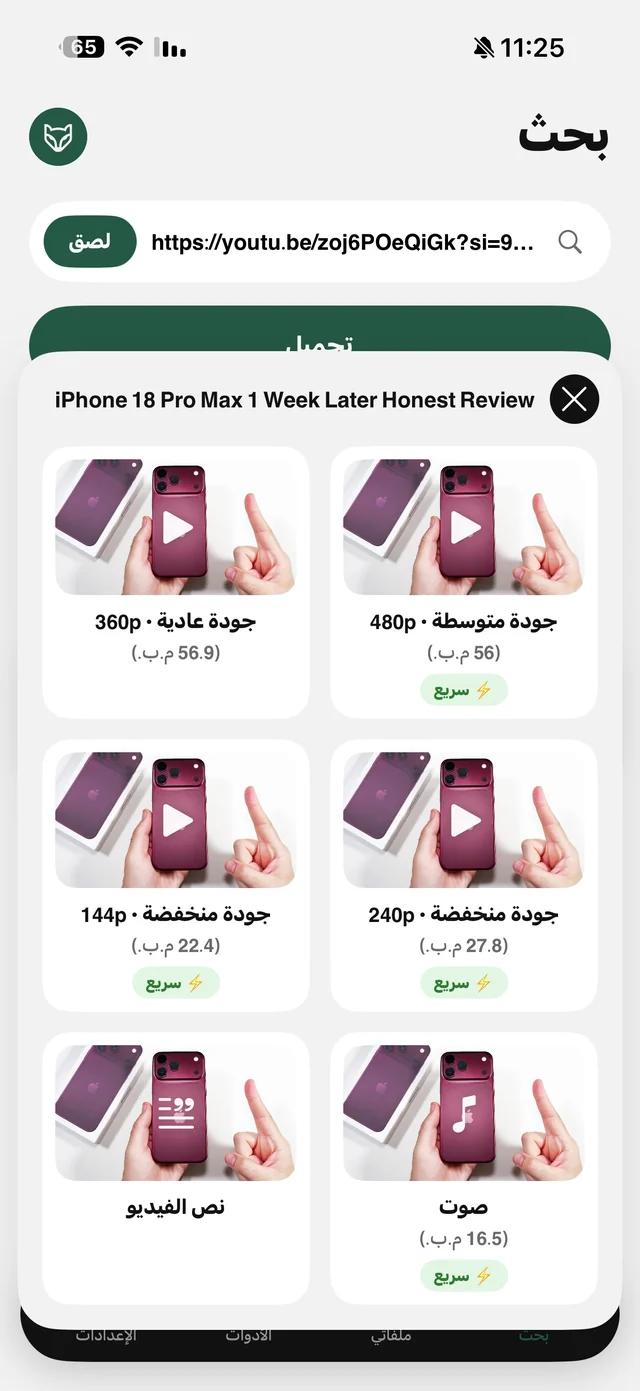
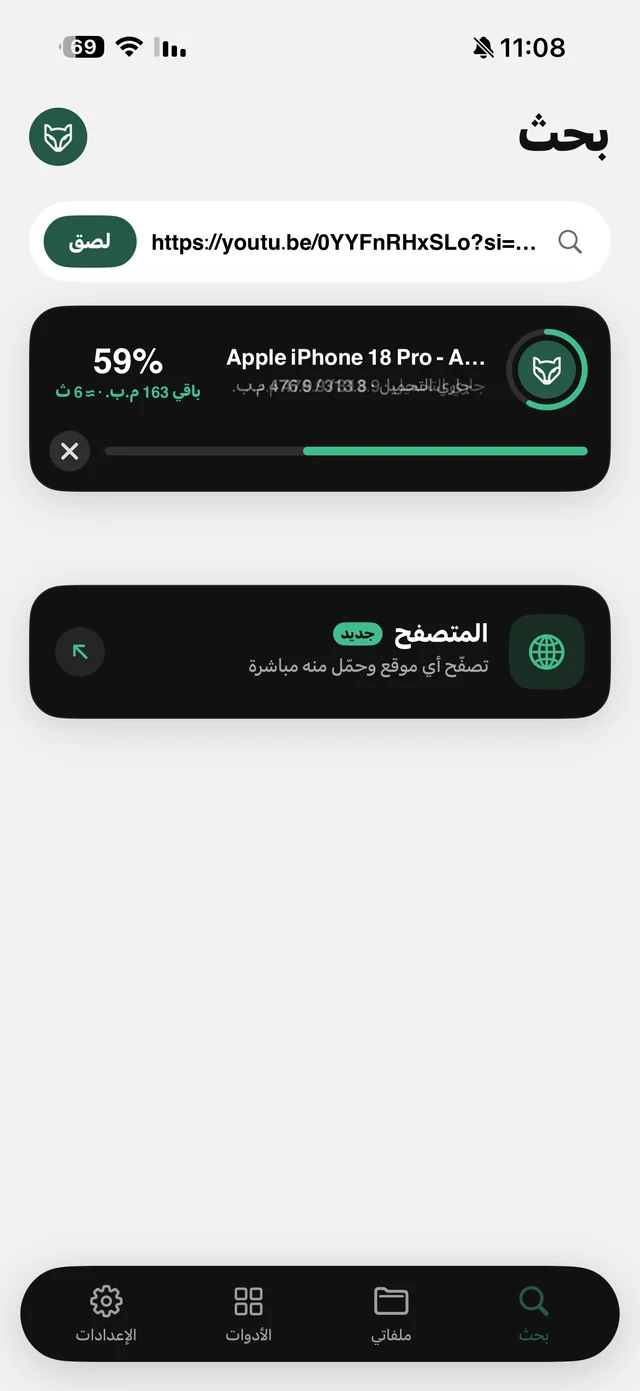
On YouTube, the “Audio” card doesn't download the whole video and then strip out the sound — it downloads the audio track itself. That's why the file is small and the download is fast, which matters if your data plan is limited or the lecture is two hours long. The “Audio” card is free by default — and it counts as a download like any other.
M4A or MP3?
Every player on iPhone plays M4A without a problem, but some cars, speakers and older software specifically want MP3. You have three options:
| Method | Result | Free or Pro |
|---|---|---|
| The “Audio” card with the default setting | An M4A file | Free |
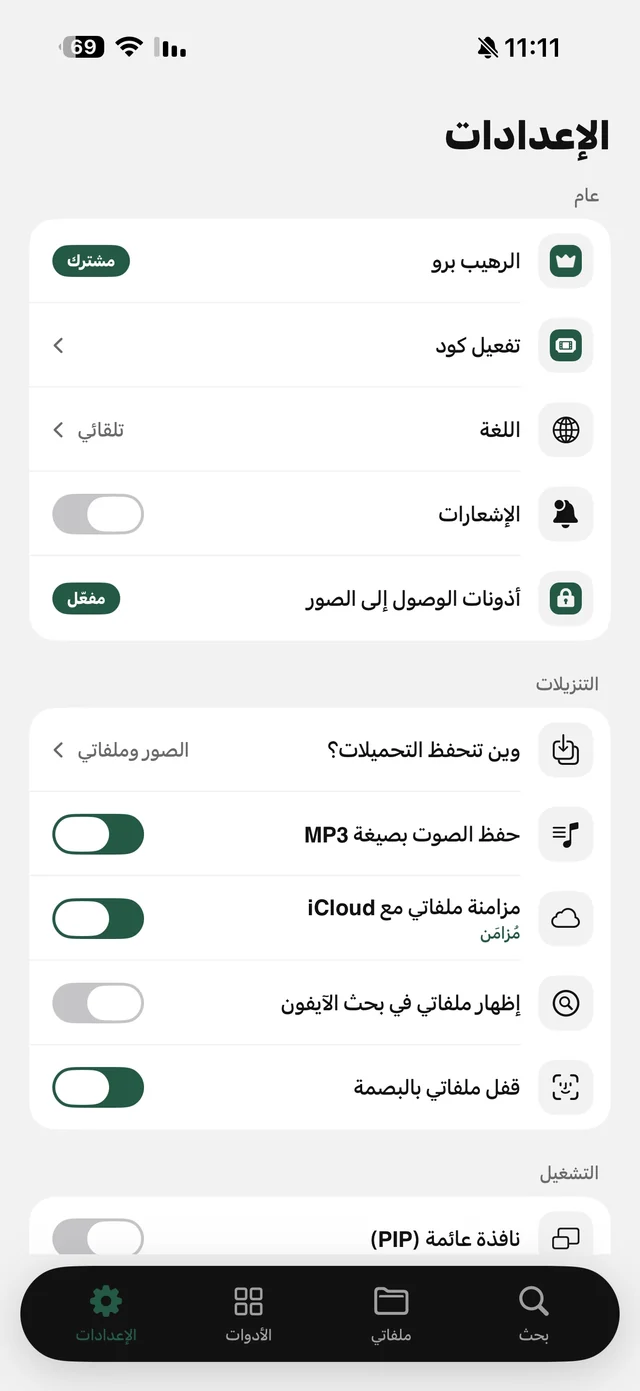
| The “Audio” card with “Save audio as MP3” | A real 192 kbps MP3, directly | Raheeb Pro |
| “Convert to MP3” on any audio file | An MP3 copy next to the original | Free |
You'll find the “Save audio as MP3” setting in Settings → Downloads. Without it, you can convert any audio file you have from its menu in My Files with “Convert to MP3”, and the original stays untouched. Details on the video to MP3 page.
Already have the video? Extract its audio
If the video was downloaded earlier or you imported it from your album, you don't need to download it again: in My Files tap ⋯ on the video, and under “Audio & text” choose “Extract audio”. The new file lands under the “Audio” filter, named after the video. The same goes for clips from TikTok, Instagram and elsewhere: the “Audio” card there downloads the video and the audio is separated on the phone.

Download the audio of your first lecture or podcast — 3 free downloads a day, no account needed.
Listen with the screen locked
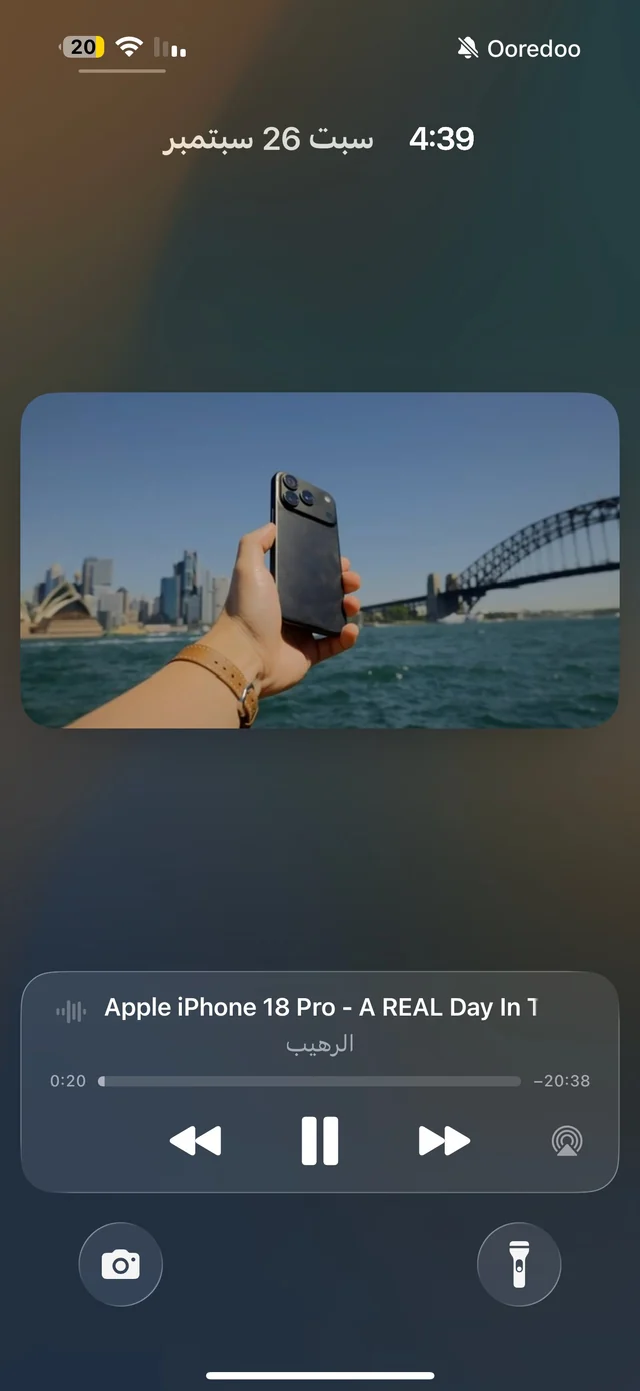
That's the whole idea: listening without keeping the video open in front of you. Raheeb's player has “Background Playback” on from the start, so the audio keeps going with the screen locked or while you're in another app, and you control it from the Lock Screen and Control Center: play, pause, previous and next. Details in background playback.
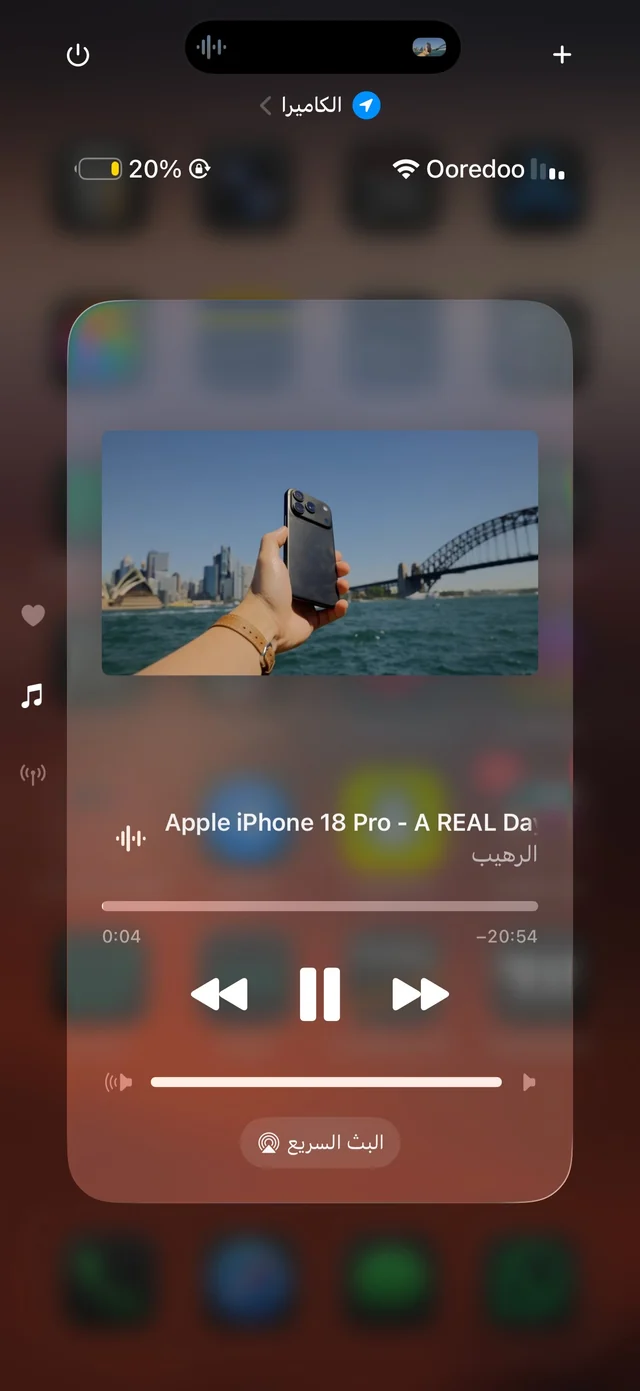
- Speed: 0.5×, 1×, 1.25×, 1.5× and 2× from inside the player — a long lecture takes half the time.
- 10-second skip forward and back: inside the player (not from the Lock Screen).
- A playlist: next and previous move through the audio and video files on the same screen in My Files — put a course's lectures in one folder and they become a series.
- AirPlay: send the audio to a speaker or a TV.
Who is it for?
For the student reviewing a lesson by ear on the way to class, for anyone listening to podcasts or Quran recitations on their headphones while walking, and for anyone who wants a YouTube video in their pocket without keeping the app open. If you want the lecture's words in writing, “Video transcript” is part of Raheeb Pro — see video to Arabic text.
Only need part of it? Trim it
Sometimes what matters is two minutes of an hour-long lecture, or a snippet you want as a ringtone. In My Files, use “Trim video” on the video first and then “Extract audio”, or trim the audio file itself. The original stays as it is, and the result is a new file next to it.
Audio from TikTok, Instagram and more
The “Audio” card is there for every platform, but it works differently: on YouTube the audio track itself downloads, while on the other platforms (TikTok, Instagram, X, Facebook, Pinterest) the video downloads and its audio is separated on the phone. The result is the same — an audio file in My Files — in the same format: M4A by default, or MP3 with the setting.
And if instead of the audio you want the words in writing — a lecture transcript or a clip's subtitles — that's “Video transcript” in the same quality sheet, or “Transcribe to text” on any audio file in My Files; both are part of Raheeb Pro.