In this guide
Download Instagram Reels from the Share button
- 1Open the Reel or postAny post from a public Instagram account.
- 2Tap the share arrowUnder the post, then choose Raheeb from the row of apps. The first time, add it to the share sheet's favorites so it sits at the front of the row.
- 3Wait for the ringA card over Instagram shows the link being fetched, then the progress as a percentage.
- 4Saved“Saved to the photo album” appears and you go back to scrolling Instagram.
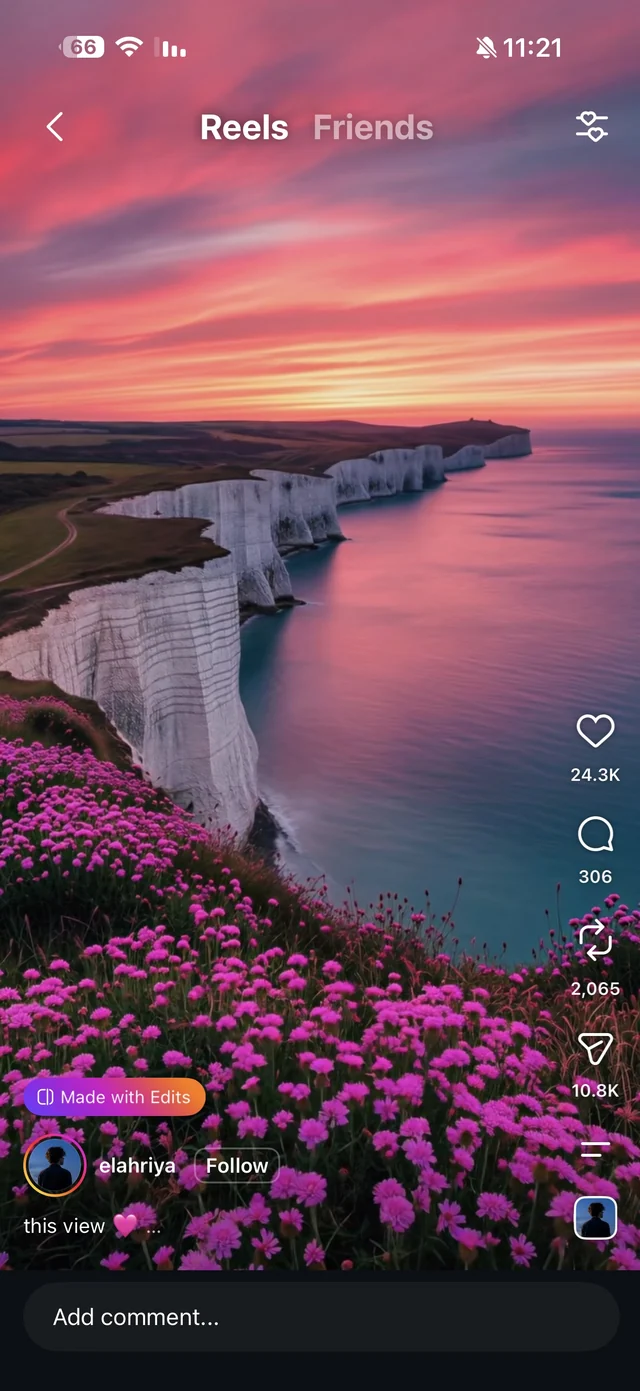
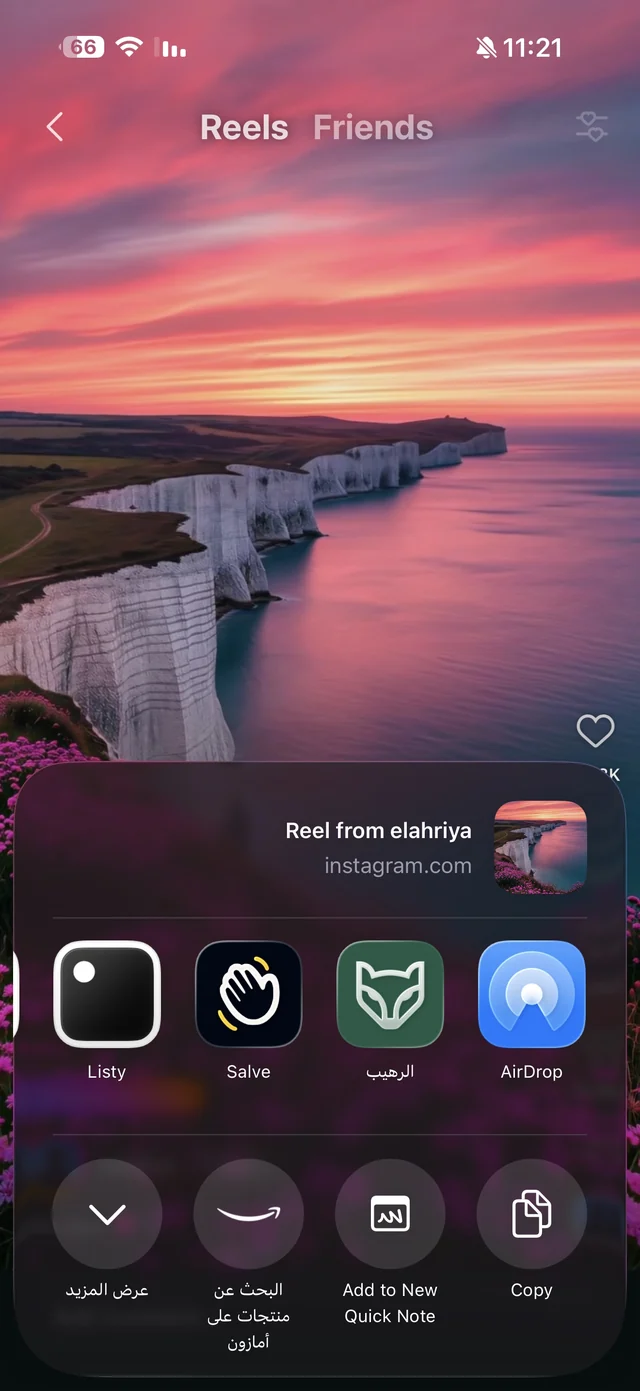
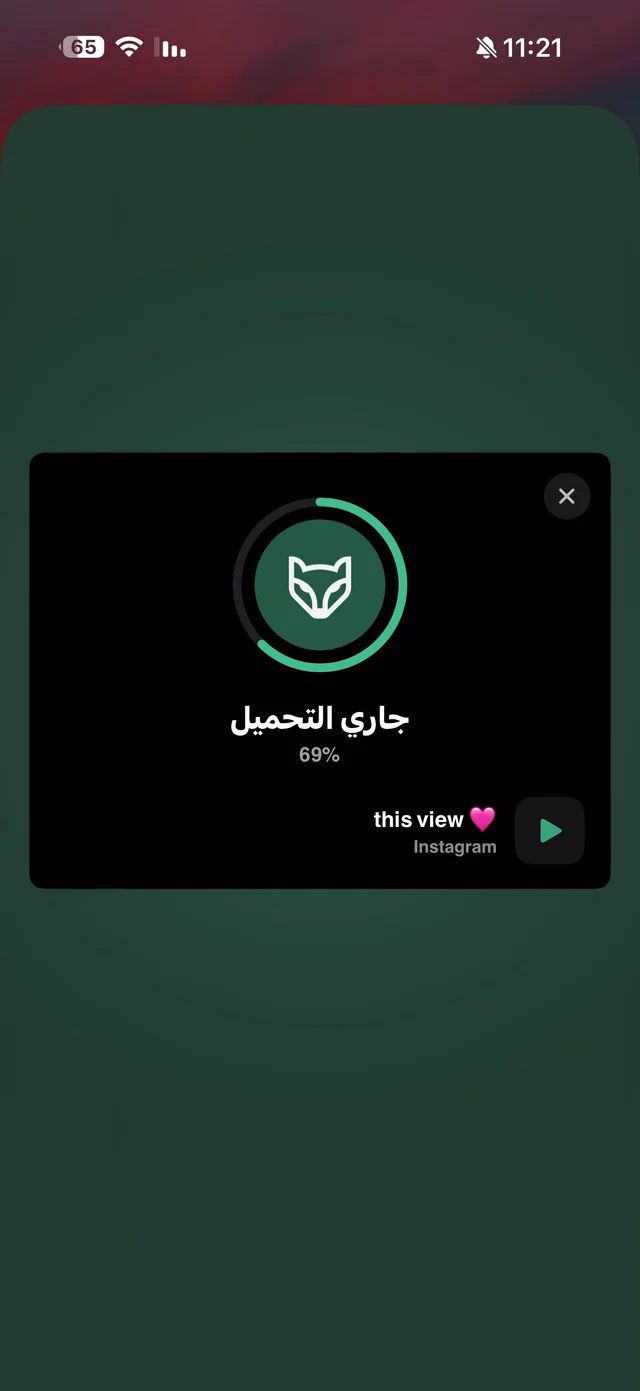
Want to pick the quality? Copy the Reel's link and paste it into Raheeb's Search tab. For Instagram the quality sheet shows about 3 options, all in H.264, the format your photo album accepts, plus an “Audio” card if you want the Reel's sound alone. Details on the Instagram download page.
Why not just use Instagram's own “Save” (bookmark) button? Because it only saves the post to your collections inside the app: it needs the internet every time, you can't send it as a file, and if the owner deletes the post or makes their account private, it disappears from your saves. Downloading gives you the file itself on your phone — it plays from My Files with no connection, and you can send it on WhatsApp like any video. If it's heavy, shrink it with “Compress video” to 720p or 540p.
What about posts with several photos?
The same steps save a whole carousel: every photo and video in the post comes down at once as its own file, and the whole post counts as one download. We walk through it step by step, with screenshots, in how to download a full Instagram carousel.
Why did the Reel download without sound?
Sometimes a Reel's audio is muted for copyright — by the platform or by the owner. Raheeb tries to recover the audio more than once, and if there's genuinely no audio available it tells you clearly: “This clip is copyright-protected — its audio isn't available.” — instead of handing you a silent file without warning.
Where does the Reel get saved?
The “Where downloads are saved” setting under Settings → Downloads decides: Photos and My Files (the default), Photos only or My Files only. Raheeb asks for add-only access to Photos — it saves to your album but never reads it. Want only the sound of a Reel? “Extract audio” from its menu in My Files turns it into a separate audio file.

Try it on a Reel you want to keep — 3 free downloads a day, no account needed.
Who is it for?
For the student saving a semester's summaries, the shop owner collecting product photos or display ideas, and anyone keeping photos of a family occasion that were posted on a public account. All without handing your account password to any app.